

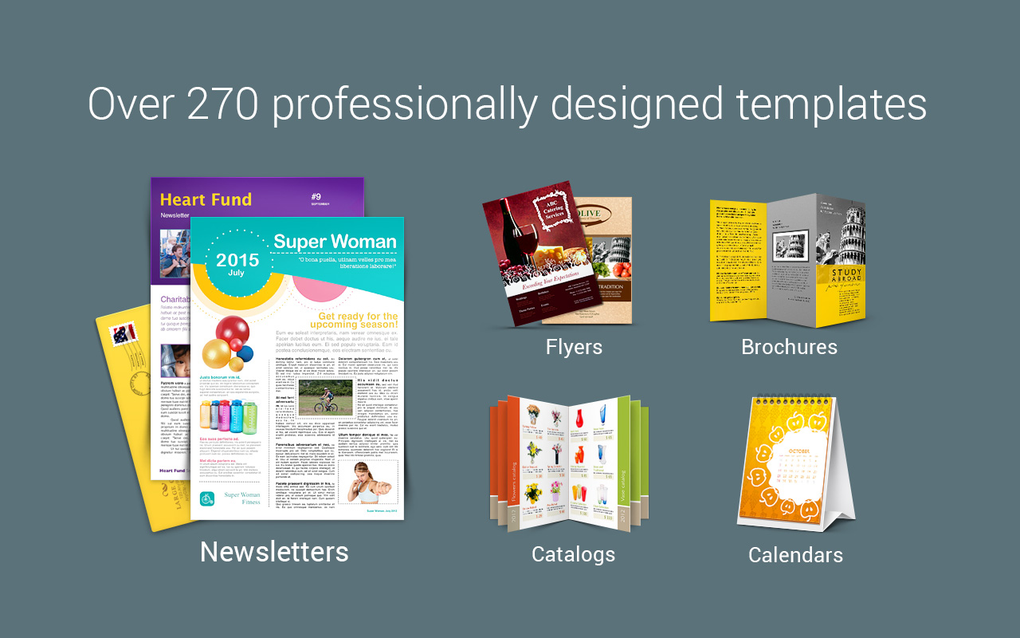
Description
Download Swift Publisher – Easy‑to‑Use Mac Desktop Publishing Software
Overview & Compatibility
Swift Publisher, developed by BeLight Software, is a lightweight desktop publishing solution built exclusively for macOS. First introduced in 2006, the application has amassed more than 90,000 downloads worldwide, demonstrating its staying power among hobbyists, small‑business owners, and educators who need a straightforward tool for creating flyers, newsletters, brochures, and even e‑books. The current stable release, version 4.0.1, was refreshed on September 21, 2015, and continues to receive minor updates that keep the software compatible with modern Mac operating systems while preserving its original simplicity.
Swift Publisher is designed for macOS 10.7 (Lion) and later, which means it runs smoothly on MacBook Air, iMac, Mac mini, and even older PowerPC‑based machines that have been upgraded to run OS X. The application supports multiple languages, including English, Spanish, and German, making it accessible to a broad international audience. Because it is a trial version, users can evaluate the full feature set for a limited period before deciding whether to purchase the full license. The trial retains all core functionalities, allowing prospective buyers to test the design workflow, template library, and export options without any hidden restrictions.
In terms of storage, Swift Publisher is remarkably compact—its installer occupies less than 150 MB, which is a fraction of the size required by heavyweight competitors such as Adobe InDesign. This low footprint makes it an attractive option for users with limited disk space or those who prefer a lean installation that does not bog down system performance. Whether you are a freelance graphic designer in the United States, a small‑business marketer in the United Kingdom, or a teacher creating classroom handouts in India, Swift Publisher offers a secure, affordable, and Mac‑native publishing experience.
Key Features
- Extensive Template Library: Over 300 pre‑designed templates covering flyers, newsletters, postcards, and more, all fully customizable.
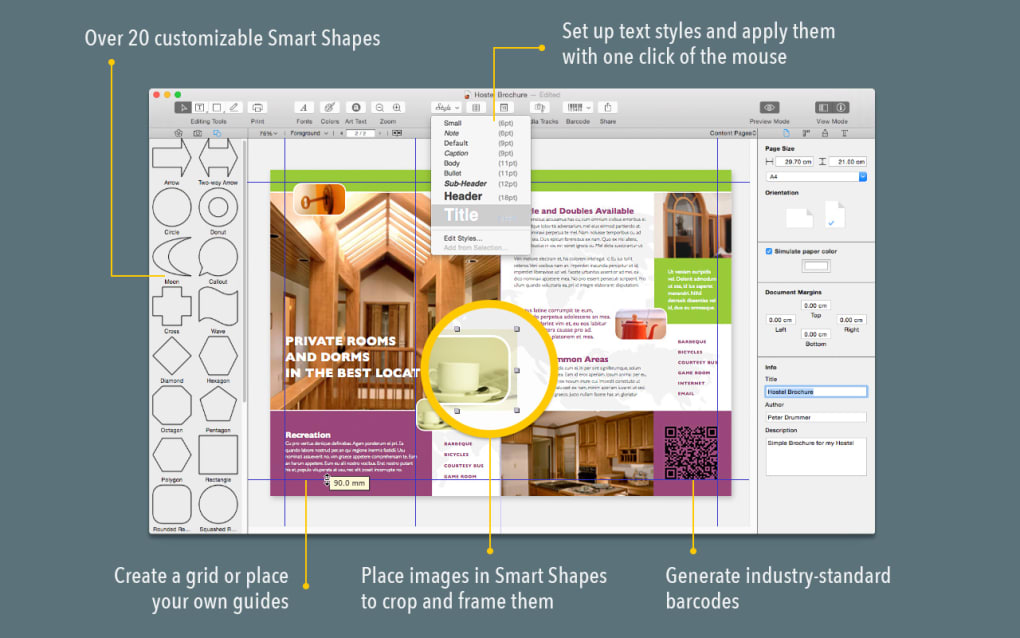
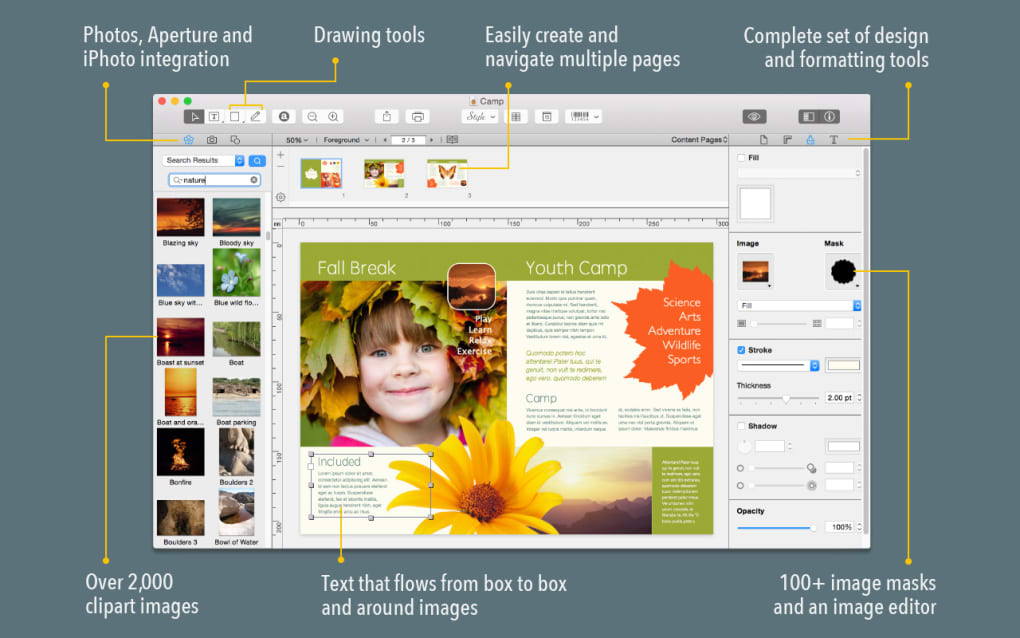
- Drag‑and‑Drop Layout Engine: Intuitive interface that lets you place text boxes, images, and shapes without learning complex design jargon.
- High‑Resolution Export: Export projects as PDF, JPEG, PNG, or TIFF at up to 300 dpi, suitable for both print and digital distribution.
- Integrated Photo Editing: Basic image adjustments (crop, rotate, color correction) are built directly into the publishing workspace.
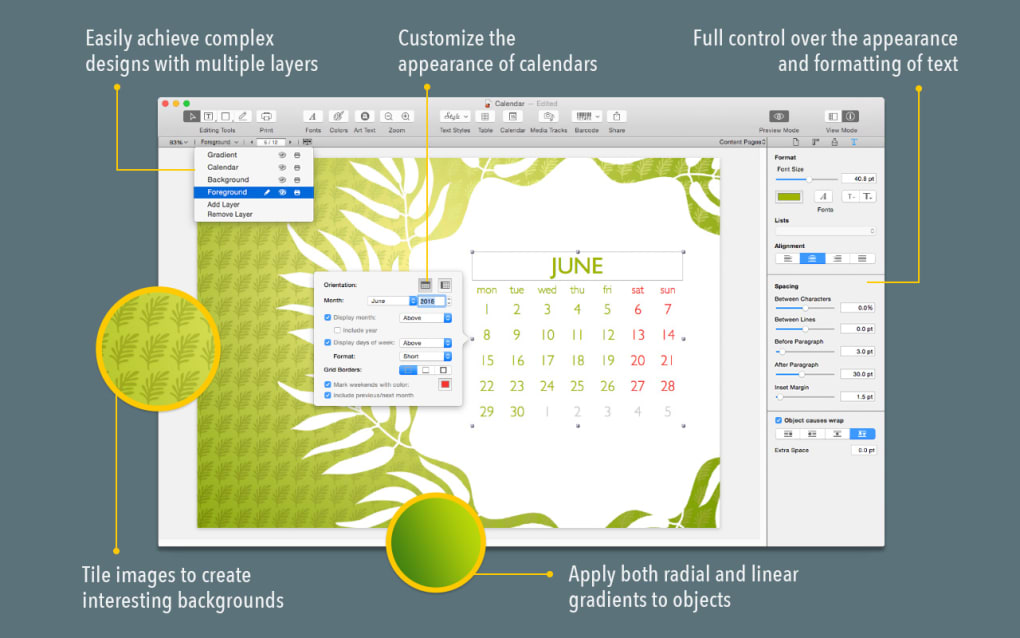
- Typography Controls: Access to OpenType features, kerning, leading, and paragraph styles for professional‑grade typographic results.
- Multi‑Language Support: Right‑to‑left language handling and Unicode compatibility for Spanish, German, and additional languages.
- Link and Bookmark Creation: Add interactive hyperlinks and PDF bookmarks for e‑book publishing or online newsletters.
- Automatic Spell‑Check: Real‑time spell checking in multiple languages to reduce errors before printing.
- Version History & Undo Stack: Unlimited undo/redo steps, making experimental design changes risk‑free.
- Affordable Upgrade Path: One‑time purchase unlocks the full feature set, with free updates for the current major version.
These features combine to make Swift Publisher a versatile tool that bridges the gap between beginner‑friendly design apps and professional layout suites. While it may not offer the extensive plugin ecosystem of Adobe InDesign, its native capabilities cover the majority of everyday publishing needs, from creating a simple event flyer to designing a multi‑page annual report. The built‑in template system reduces the learning curve dramatically; users can start with a polished layout and replace placeholder text and images with their own content in minutes.
Moreover, Swift Publisher’s export options are tailored for both print‑ready production and web publishing. The PDF export supports bleed and crop marks, essential for commercial printing, while the image formats are optimized for fast loading on websites and email newsletters. The inclusion of hyperlink and bookmark features also means that the same project can serve as a printable brochure and an interactive digital brochure without extra conversion steps.
Installation, Usage & Pros / Cons
Installation Steps
Installing Swift Publisher on a Mac is straightforward. After downloading the trial installer from the official BeLight Software website, double‑click the .dmg file to mount the disk image. Drag the Swift Publisher icon into your Applications folder, and macOS will handle the necessary permissions. Upon first launch, you may be prompted to allow the app to access your Documents folder—granting this permission enables seamless saving and opening of projects. The trial version automatically activates for a limited period; if you decide to purchase, enter the license key in the Help → Enter License menu to unlock the full version.
Usage Workflow
Once installed, the user interface opens to a welcome screen displaying recent projects and a gallery of templates. Selecting a template launches the layout editor, where you can edit text boxes, replace images, and adjust colors using the right‑hand property panel. Swift Publisher employs a layer‑based system, allowing you to reorder objects, lock elements, and group items for easier manipulation. The File → Export menu provides quick access to PDF, PNG, JPEG, and TIFF formats, with preset options for print quality (300 dpi) or web quality (72 dpi). The application also supports direct printing to any macOS‑compatible printer, making it a complete end‑to‑end publishing solution.
Pros
- Lightweight installation and low system resource usage.
- Mac‑native design ensures smooth performance on all recent macOS versions.
- Rich template library accelerates project creation.
- All‑in‑one editing tools eliminate the need for external image editors.
- One‑time purchase model without recurring subscription fees.
- Multi‑language support and Unicode compatibility.
Cons
- No Windows or Linux version – limited to macOS users.
- Lacks advanced pre‑flight and color‑separation tools found in professional DTP suites.
- Trial version does not include premium templates that are bundled with the full license.
- Limited plugin ecosystem compared to industry leaders.
- Last major update was in 2015, so some modern UI trends are missing.
Review Summary: Swift Publisher delivers a balanced mix of simplicity and power for macOS users seeking a cost‑effective desktop publishing tool. Its lightweight nature and extensive template collection make it ideal for small‑business owners and educators, while the lack of Windows support and advanced pre‑flight features may steer professionals toward more robust alternatives.
Frequently Asked Questions & Conclusion
Is Swift Publisher truly free to use?
Swift Publisher offers a fully functional trial version that can be used for a limited time. After the trial expires, you need to purchase a license to continue using the software without restrictions.
Can I import Adobe InDesign files into Swift Publisher?
Direct import of .indd files is not supported. However, you can export your InDesign layout as a PDF and then place the PDF as an image in Swift Publisher for further editing.
Does Swift Publisher support CMYK colour mode for professional printing?
Yes, the export dialog includes a CMYK option, allowing you to generate print‑ready PDFs that meet most commercial printing standards.
Will Swift Publisher run on the latest macOS Ventura?
The application is compatible with macOS 10.7 and later, which includes Ventura (macOS 13). Users have reported stable performance on Ventura with no major issues.
How does Swift Publisher handle multilingual text?
The software supports Unicode and includes spell‑check for several languages, such as English, Spanish, and German. Right‑to‑left languages are also rendered correctly.
Conclusion & Call to Action
Swift Publisher stands out as a secure, low‑cost desktop publishing solution that is tailor‑made for macOS users. Its lightweight nature, robust template collection, and straightforward workflow make it an excellent choice for anyone who needs to produce professional‑looking printed or digital materials without the steep learning curve of industry‑standard suites. If you’re looking for a tool that balances ease of use with enough depth to handle multi‑page brochures, newsletters, and flyers, give Swift Publisher a try today. Download the trial version, explore the built‑in templates, and decide if the one‑time purchase model fits your budget. For Mac‑centric creators, it remains one of the most practical publishing apps available in 2025.
Guides & Tutorials for Swift Publisher
How to install Swift Publisher
- Click the Preview / Download button above.
- Once redirected, accept the terms and click Install.
- Wait for the Swift Publisher download to finish on your device.
How to use Swift Publisher
This software is primarily used for its core features described above. Open the app after installation to explore its capabilities.
User Reviews for Swift Publisher 0
No reviews found





.webp)